
Why Was My Discord Account Disabled Right After Sign-Up?
Few things feel more frustrating than creating a Discord account, seeing the registration succeed, and then immediately running into a disabled account message. It can feel confusing because nothing has really happened yet. You have not joined many servers, sent messages, or used the account for long. So why would the account be restricted so quickly?
The answer is usually not a single mistake.
When a Discord account is disabled right after registration, the issue often sits somewhere between the signup flow, the verification process, and the trust level of the current access environment. If those layers are mixed together, people tend to make the situation worse by retrying too quickly, switching networks repeatedly, or creating several new accounts in a short period of time.
A better approach is slower and more practical: identify where the problem happened first.
This guide explains how to separate registration instant disables, verification abnormalities, and environment risks. It also shows what legitimate steps you can take before trying again, when to contact Discord support, and how businesses or community teams can build a more stable access setup for long-term use.
1. Why a New Discord Account Can Be Disabled So Quickly
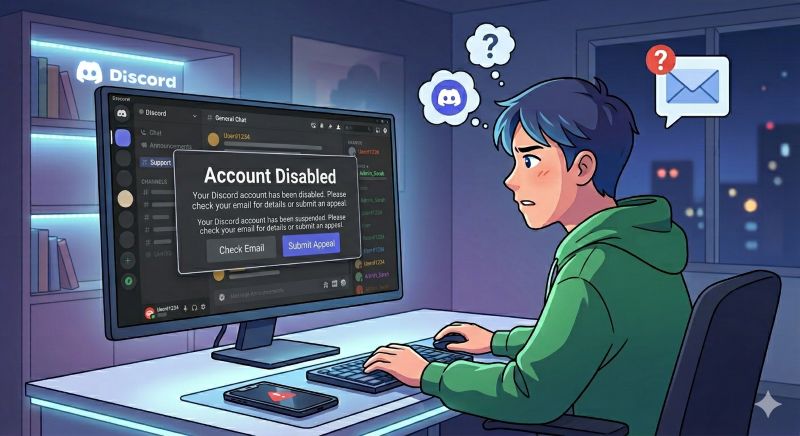
A newly created Discord account can be limited or disabled for different reasons. Sometimes it is related to the account information. Sometimes it is caused by incomplete verification. Sometimes the system may treat the current network, device, browser, or session behavior as risky.
For Discord and similar platforms, registration is not only a form submission. The platform may also evaluate signals around the account creation process, such as:
- Whether the signup flow was completed normally
- Whether email or phone verification succeeded
- Whether the browser session looks consistent
- Whether the access location changes too quickly
- Whether the same environment has repeated failed attempts
- Whether the device or network has a history of unusual activity
This does not mean every disabled account did something wrong. Automated systems can make conservative decisions, especially when a new account has very little history. But it does mean that repeated trial-and-error can make the environment look even less trustworthy.
That is why the first step is not to rush. The first step is to classify the issue.
2. First, Separate the Problem Into Three Layers
When people say “my Discord account was disabled right after registration,” they may be describing different problems. Treating all of them as the same issue leads to poor decisions.
2.1 Registration instant disable
This means the account appears to be created, but very soon after registration, access is blocked or disabled. In this case, the platform may have flagged the signup flow or the surrounding environment early.
2.2 Verification abnormality
This happens when the account gets stuck around email verification, phone verification, login confirmation, or session validation. The account may not be fully trusted because the verification path was incomplete or inconsistent.
2.3 Environment risk
This is broader. The account itself may be new, but the surrounding environment may already look risky. That can include unstable IP changes, repeated signups from the same setup, inconsistent browser sessions, or multiple account attempts from one device and network.
Before taking action, ask: did the problem happen during signup, during verification, or after Discord evaluated the environment?
That answer changes what you should do next.
3. Registration Instant Disable: What Usually Triggers It
A registration instant disable can happen when the signup process looks unusual from the platform’s point of view.
Common causes include:
- Repeated registration attempts in a short period
- Switching IP locations during signup
- Refreshing the verification flow too many times
- Reusing the same browser environment after multiple failed attempts
- Creating multiple accounts from the same device or network
- Using low-trust or unstable network connections
For a normal user, one failed attempt may feel harmless. But from a platform risk system’s perspective, repeated account creation and inconsistent access signals can look automated or suspicious.
The practical fix is not to keep trying. It is to stop, clean up the process, and make the next attempt more consistent.
4. Verification Abnormalities: Email, Phone, and Session Issues
Sometimes the account is not disabled because of the account itself, but because the verification flow did not complete cleanly.
4.1 Email verification issues
If the email confirmation is delayed, opened in a different browser, or clicked after the session has changed, the account may not build enough trust during the first login flow.
A better practice is to keep the same browser and connection active while completing email verification.
4.2 Phone verification issues
If Discord asks for phone verification, avoid repeated failed attempts. Do not keep switching numbers, devices, or networks. Each failed verification can add more risk signals.
4.3 Session inconsistency
A common mistake is starting registration on one environment, opening verification on another, then trying to log in again from a different network. That may look normal to a human, but it can create an inconsistent session trail.
For best results, keep the signup, verification, and first login flow as stable as possible.
5. Environment Risk: Why Network Consistency Matters
For platforms like Discord, the access environment matters because accounts are not evaluated in isolation. A new account has no history, so the surrounding signals become more important.
Environment risk can come from:
- Frequently changing IP locations
- Using public or overloaded proxy lists
- Logging in from inconsistent regions
- Running many accounts from the same device profile
- Mixing different platforms and account workflows in one browser
- Reusing an environment that already triggered warnings
This is where many users misunderstand the problem. They think, “I only created a new account.” But the platform may be looking at the full context around that account environment.
A stable environment does not guarantee account approval. It simply reduces avoidable friction caused by messy access patterns.
For business teams, community managers, or overseas operators who need reliable Discord access, a consistent residential IP environment can be part of a cleaner workflow. The goal should not be to bypass Discord enforcement. The goal should be to avoid unnecessary instability caused by poor network quality, constant location changes, or unreliable connection routes.
6. What You Should Do Before Trying Again
If a Discord account was disabled right after registration, do not immediately create another one. Take a step back and run through a clean troubleshooting process.
6.1 Pause repeated attempts
Stop creating new accounts from the same environment. Repeated failures can make the network and device look riskier.
6.2 Check the email tied to the account
Look for any message from Discord explaining the action or giving next steps. If Discord provides an appeal or verification direction, follow the official path.
6.3 Review the signup environment
Ask whether the IP location changed during registration, whether the browser session was reused after many attempts, or whether the same device was already connected to other signup environment issues.
6.4 Complete verification in one stable session
If you try again later, keep the same browser, same device profile, and same network route throughout signup, email verification, phone verification, and first login.
6.5 Avoid free or unstable proxy lists
Free proxies are often overloaded, shared by unknown users, and associated with poor IP reputation. They may create more risk than they solve. Using high-quality proxy lists is generally safer for legitimate operations.
6.6 Use a business-grade network setup if the workflow matters
If Discord access is part of your community operations, customer support, overseas team communication, or marketing workflow, treat the network setup as infrastructure. Stable access matters more than quick experimentation.
7. What Not to Do After a Discord Account Is Disabled
Some actions feel natural in the moment, but they can make the situation worse.
Avoid these mistakes:
- Do not repeatedly create new accounts in a short period
- Do not switch between many IP locations while signing up
- Do not use random public proxy lists
- Do not keep submitting the same appeal with different wording
- Do not mix account recovery with new account creation attempts
- Do not use automation to mass-register accounts
- Do not try to bypass an enforcement action
If the account was disabled by mistake, the right path is to appeal through Discord’s official support process. Discord’s Terms state that enforcement actions can be appealed through Discord’s form or available in-app options. You can start from Discord’s official support request page: https://support.discord.com/hc/en-us/requests/new
8. How Teams Should Build a More Stable Discord Access Environment
For individual users, the solution may be simple: stop retrying, verify carefully, and appeal if necessary.
For teams, the issue is often bigger.
Discord may be part of customer communication, community moderation, partner support, or internal coordination. If multiple team members are accessing Discord from different regions, devices, browsers, and temporary networks, account stability can become harder to manage.
A better team setup usually includes:
8.1 Separate account workflows
Do not mix new account registration, daily account usage, testing, and troubleshooting in the same messy browser environment.
8.2 Keep region and workflow consistent
If a team operates from a specific market, the network environment should not jump unpredictably across regions.
8.3 Use stable sessions for account-based work
For account login and dashboard workflows, stability is usually more useful than constant IP rotation.
8.4 Keep records of changes
If a login issue happens, teams should know what changed: device, browser, IP region, verification method, or account permissions.
8.5 Choose network tools based on reliability, not only access
The question should not be “Can this IP open Discord once?” The better question is “Can this setup support the workflow consistently?” Choose network tools based on reliability rather than just temporary access.
For teams managing overseas access, localized testing, community workflows, or cross-border operations, a reliable residential proxy setup can help reduce avoidable network friction.
Learn more at instaip
9. When to Appeal Through Official Discord Support
If your account is already disabled, do not assume that creating a new account is the best next step. If you believe the action was a mistake, use Discord’s official appeal path.
A good appeal should be clear and factual. Include:
- The email address tied to the account
- What happened during registration
- Whether email or phone verification was completed
- Whether you received a specific warning or message
- A short explanation that you believe the disable may have been an error
- A request for review
Keep the message calm. Do not submit many repeated tickets. That usually does not speed up review and can make the case harder to manage.
Official reference: Discord’s Terms of Service mention that enforcement actions can be appealed through Discord’s form or available in-app options. See Discord’s Terms here: discord
10. Final Thoughts
When a Discord account is disabled right after registration, it is tempting to treat the problem as a simple signup failure. But in many cases, the real issue is layered.
It may be a registration flow issue.
It may be a verification issue.
It may be an environment risk issue.
Sometimes it is a combination of all three.
The safest approach is to slow down, avoid repeated attempts, complete verification in a stable session, and use the official appeal process when needed. A cleaner, more stable access setup cannot guarantee that Discord will approve every account, but it can reduce avoidable friction.
If your team needs a more reliable residential proxy environment for overseas access, localized testing, community operations, or cross-border workflows, visit instaip to explore InstaIP’s residential proxy solutions.
11. FAQ
Q: Why was my Discord account disabled right after registration?
A: It may be related to the signup flow, incomplete verification, repeated attempts, or risk signals from the current device, browser, IP, or network environment. It does not always mean the account intentionally violated rules.
Q: Should I keep registering new Discord accounts if one gets disabled?
A: No. Repeated registrations from the same environment can increase risk signals. It is better to pause, review the cause, and appeal through official Discord support if you believe the disable was a mistake.
Q: Can a poor network environment cause Discord registration problems?
A: Yes, an unstable or low-trust network can contribute to verification issues, login friction, or risk review. Frequent IP changes and public proxy lists can make the environment look less reliable.
Q: Is a residential proxy useful for Discord?
A: A stable residential proxy can help create a more consistent network environment for legitimate business workflows, overseas access, localized testing, or team operations. It should not be used to bypass Discord enforcement or violate platform rules.
Q: What is the best first step after a Discord account is disabled?
A: Check your email for Discord’s notice, stop repeated attempts, review what happened during signup and verification, and submit an appeal through Discord’s official support page if you believe the action was incorrect.
Q: Can Discord account disables be appealed?
A: Yes. Discord’s Terms mention that enforcement actions can be appealed through Discord’s form or available in-app options. Use the official support request page and provide clear, factual information.
Q: What should teams do to reduce Discord access problems?
A: Teams should keep account workflows separated, avoid unstable IP switching, use consistent sessions for account-based work, document environment changes, and choose reliable network infrastructure for long-term operations.